
Planning a ferry trip is now even easier. AFerry is now available in ChatGPT through its plugin. Simply describe your journey to search for suitable ferry crossings. You can then compare your options and book on AFerry.
💬 What is the AFerry plugin in ChatGPT?
ChatGPT is an AI assistant you can talk to naturally, just as you would with another person. With the AFerry plugin, you can ask it to search for ferry crossings without having to choose a ferry operator first.
Simply tell ChatGPT where you'd like to go, when you want to travel and who's coming with you. ChatGPT can then use AFerry to search for matching crossings. It may also ask a few questions to help narrow down your search.
🧩 How to install the AFerry plugin in ChatGPT
You only need to install the AFerry plugin once on your ChatGPT account.
-
Open ChatGPT on your computer or in the mobile app.
-
Open Plugins and search for AFerry.

-
Select AFerry to open its plugin page.
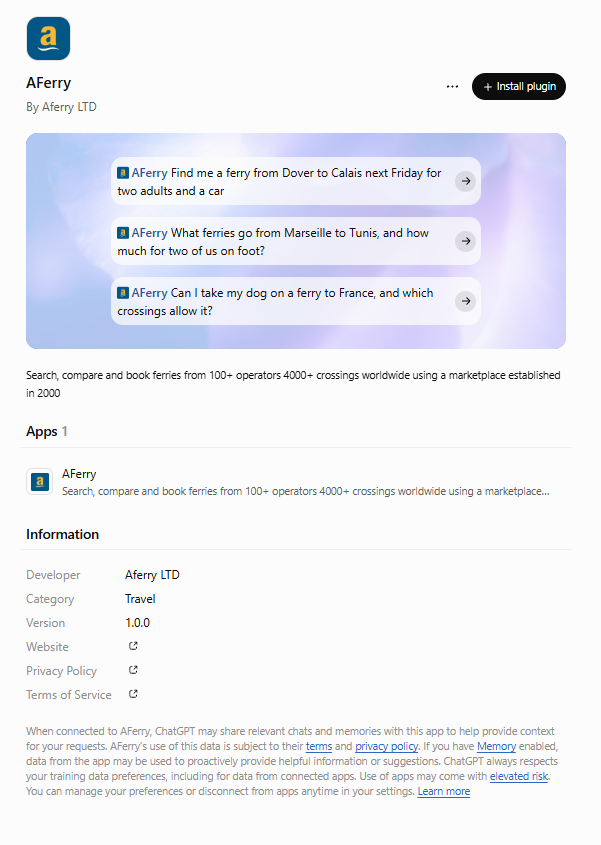
-
Click Install plugin to begin the installation.
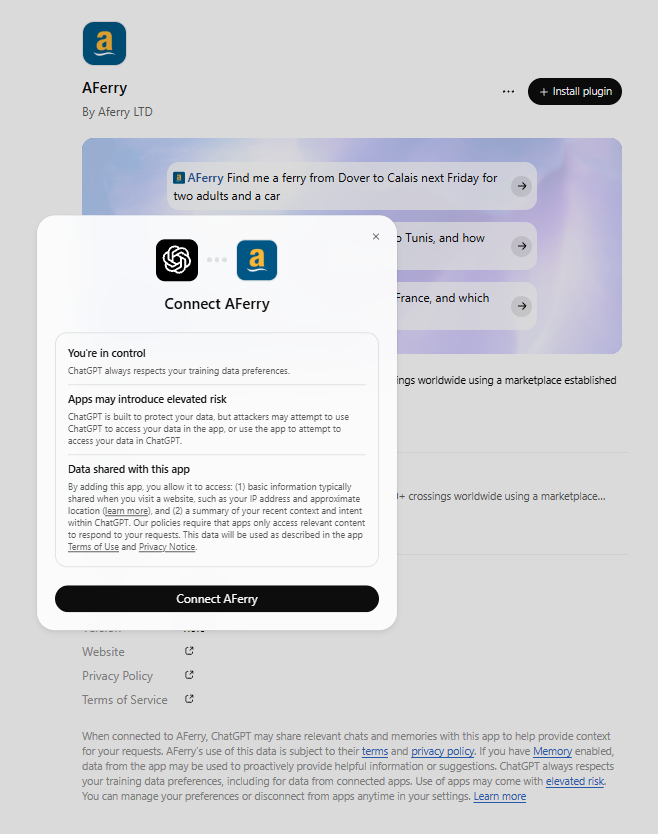
-
Review the connection details and click Connect AFerry.
🔍 How to search for ferries with AFerry
Once the plugin is installed, open a ChatGPT conversation and simply describe your journey.
For example:
- "Ask AFerry to find a ferry from Dover to Calais next Friday for two adults and a car."
- "Ask AFerry to search for ferries from Marseille to Tunis for two adults travelling on foot."
- "Can you ask AFerry to find a ferry to France where I can travel with my dog?"
🧳 What information should I provide when searching for a ferry?
To help find crossings that suit your journey, try to include:
- Your route: your departure and arrival ports or cities.
- Your travel dates: your preferred date and, if possible, time.
- Passengers: the number of adults and children travelling.
- How you're travelling: on foot or with a car.
- Pets: whether you're travelling with an animal.
Not sure about all the details yet? No problem! Start with what you know and let ChatGPT ask any follow-up questions.
❓ Frequently asked questions
1. Can I use AFerry on my phone?
Yes. You can use ChatGPT on your computer or through the mobile app. Once the AFerry plugin is installed on your ChatGPT account, open a conversation on a supported device and search for your ferry in the same way.
2. Do I need to select AFerry every time I search?
Not necessarily. You can simply type "Ask AFerry to find me a ferry to France" in a normal ChatGPT conversation.
ChatGPT may automatically select a plugin that matches your request. To make sure you're using AFerry, select @AFerry or mention AFerry in your message. If ChatGPT responds without starting a search, specifically ask it to search for ferry crossings using AFerry.
3. Where do I complete my booking?
The AFerry plugin in ChatGPT helps you search for ferry crossings. Once you've found an option that suits your journey, continue to AFerry to compare your options and complete your booking securely on our website.
🌊 Ready to give it a try?
Open ChatGPT, find AFerry in Plugins and simply tell it where you'd like to go. You can also visit AFerry to search and compare ferry crossings as usual.
Whether you prefer searching on our website or simply asking ChatGPT, we're here to make finding your next ferry easier.
Ferry Travel. Simplified.
Terms and Conditions
The instructions in this article were checked against OpenAI’s and Anthropic’s official documentation on 10 September 2026. Both providers regularly change their settings and menu names, so if a step does not match what you see, check the latest documentation for ChatGPT developer mode or Claude custom connectors. The service that connects AFerry’s ferry search is developed and maintained by AFerry’s engineering team.